TWRP 3.0.2.0 for ZTE AXON ELITE (A2016)
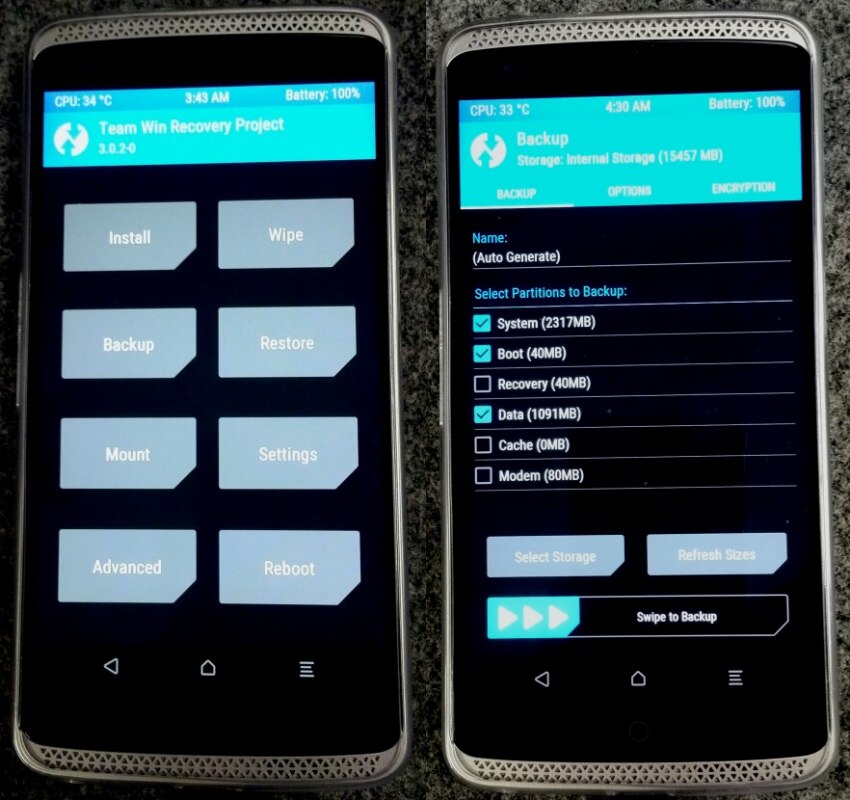
1. Download ZTE_AXON_TWRP3.rar
https://goo.gl/B3tGhW
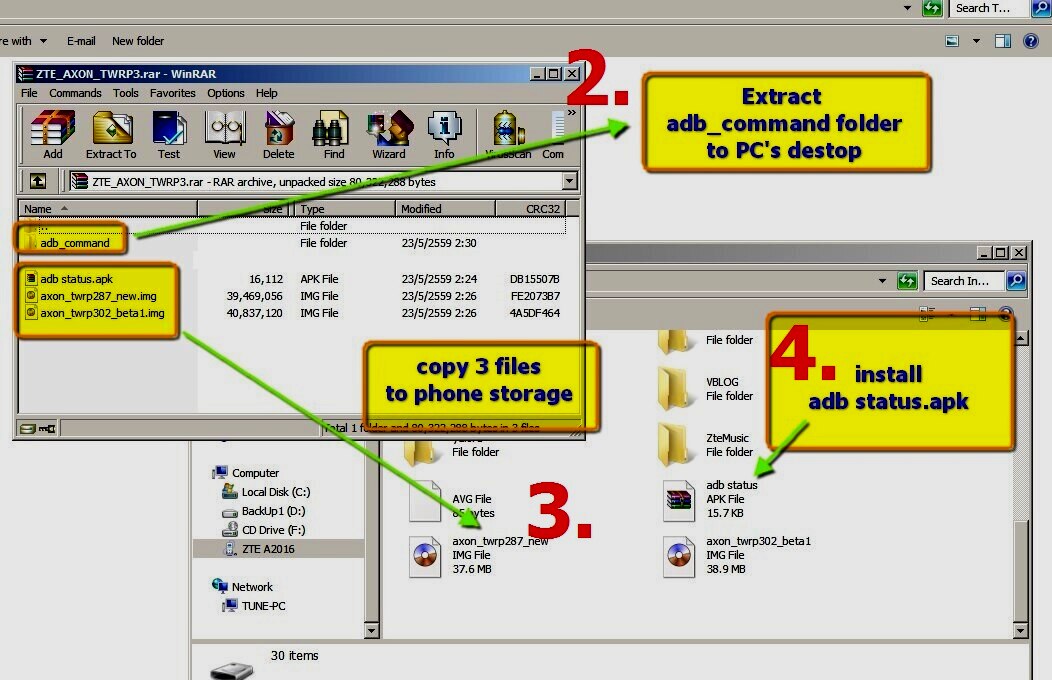
2. Extract adb_command folder to pc's destop
3. Extrac abd copy "adb status.apk" and " axon_twrp302_beta1.img "
to phone storage
4. Install app adb status.apk
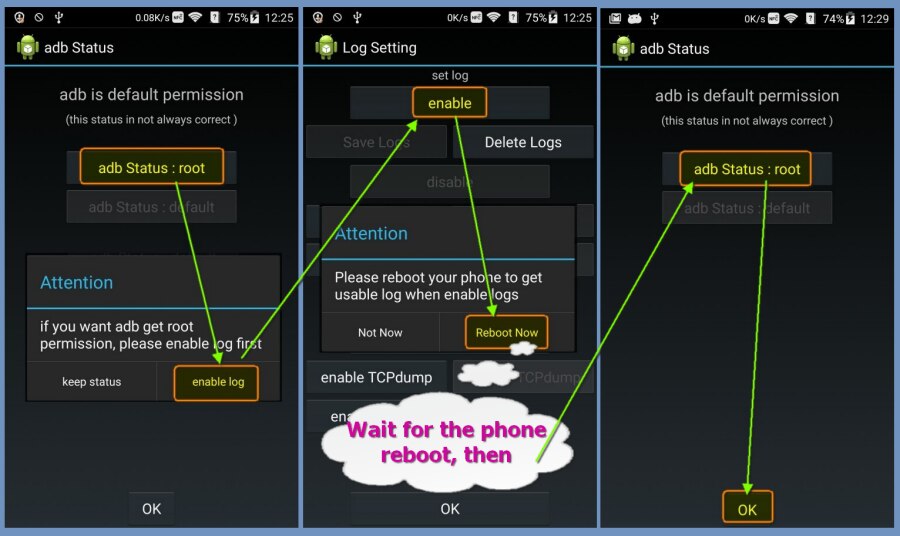
5. Enable adb staus , follow this step
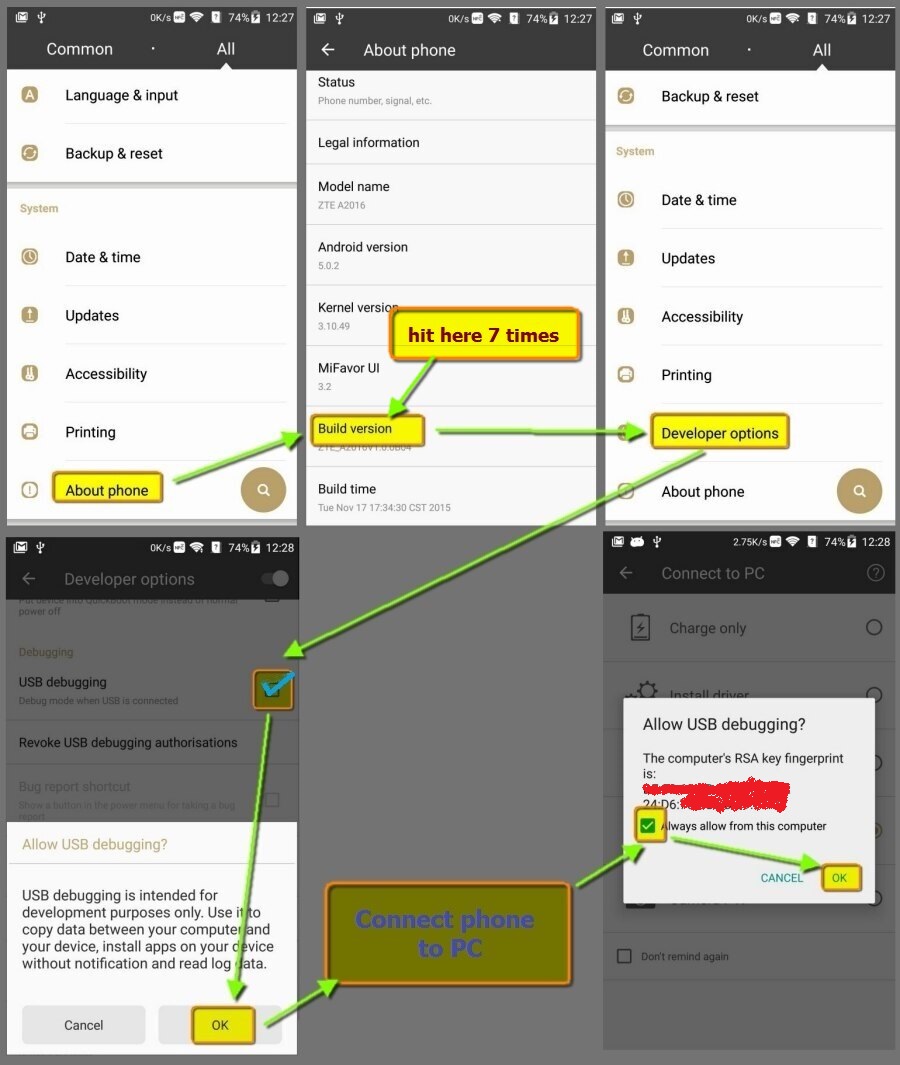
6. Enable adb debugging mode , follow this step
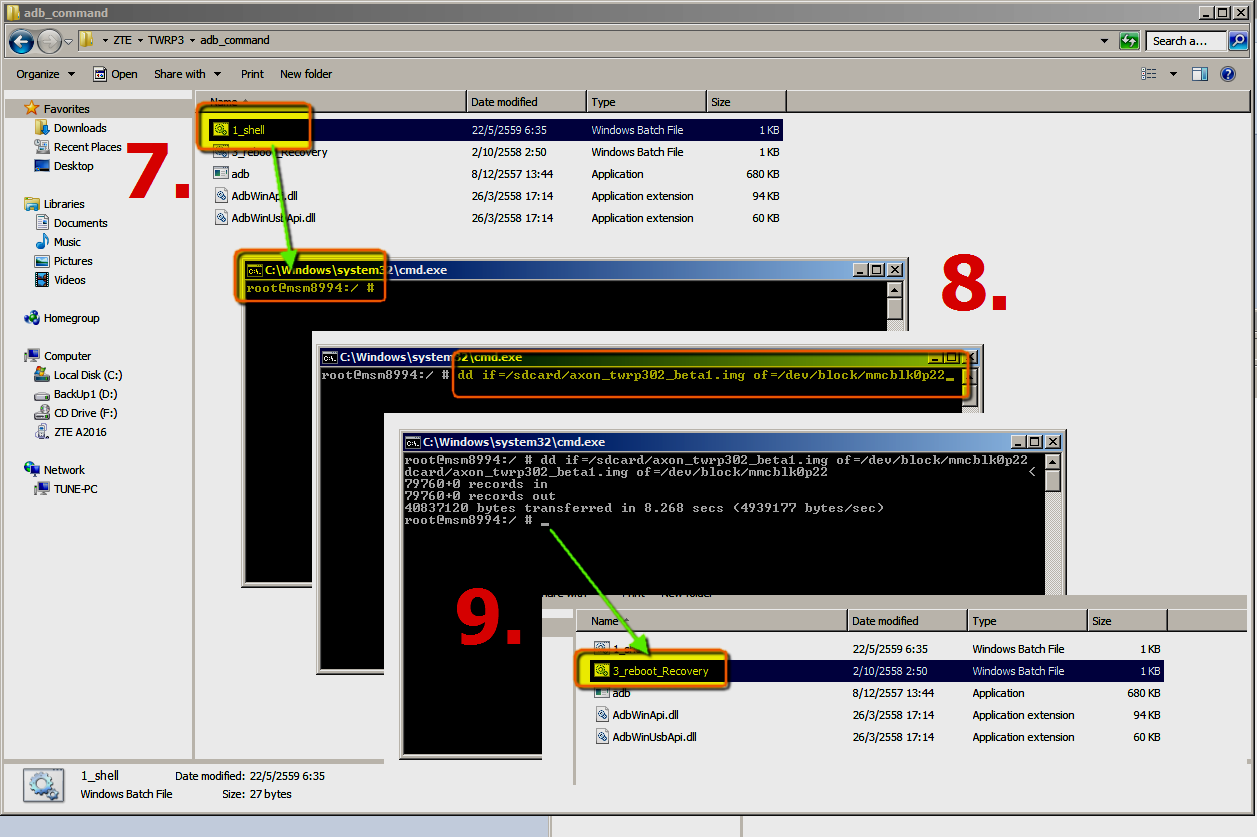
7. At adb_command folder ,double click " 1_Shell.bat " to start adb
8. Type this command
" dd if=/sdcard/axon_twrp302_beta1.img of=/dev/block/mmcblk0p22 "
then press enter
9. After flash process finished,double clik " 3_reboot_Recovery "
to reboot & fig a new recover
1. Download ZTE_AXON_TWRP3.rar
https://goo.gl/B3tGhW
2. Extract adb_command folder to pc's destop
3. Extrac abd copy "adb status.apk" and " axon_twrp302_beta1.img "
to phone storage
4. Install app adb status.apk
5. Enable adb staus , follow this step
6. Enable adb debugging mode , follow this step
7. At adb_command folder ,double click " 1_Shell.bat " to start adb
8. Type this command
" dd if=/sdcard/axon_twrp302_beta1.img of=/dev/block/mmcblk0p22 "
then press enter
9. After flash process finished,double clik " 3_reboot_Recovery "
to reboot & fig a new recover
from xda-developers http://ift.tt/1qDono9
via IFTTT

No comments:
Post a Comment